After hosting 316+ remote workers and digital nomads in Roma Norte, we have seen the same pattern repeat. Guests book what looks like a perfect digital nomad apartment in Mexico City, clean and comfortable in the photos, then arrive to find the desk is a corner of the dining table, the Wi-Fi router is in a hallway closet, and the only chair is a barstool. They spend the first week finding workarounds, then start asking about coworking memberships.
For a stay that lasts more than a weekend, the workspace setup is part of the operational baseline.
Why “Wi-Fi included” tells you nothing
Almost every furnished apartment listing in Mexico City says Wi-Fi is included. The phrase means a router exists somewhere in the unit. It says nothing about:
- Speed: is it 10 Mbps or 200 Mbps, and does it hold during peak evening hours?
- Router placement: is the router near the desk, or across the apartment behind a concrete wall?
- Type: is the connection fiber (consistent), cable (generally consistent), or DSL/mobile hotspot (variable)?
- Exclusivity: is it shared with other units or dedicated to the listing?
Before booking any apartment for a remote work stay longer than a few nights, ask the host for the download speed from a recent speed test instead of the plan’s advertised maximum. There is a meaningful difference between what an ISP sells and what arrives at the router.
At StayWork CDMX, the Roma Norte flagship runs on 200 Mbps fiber, with the router close to the desk. We share the speed test result on request because it is the honest way to set expectations.
The desk question
A laptop on a kitchen island is a temporary fix that becomes physically unsustainable over two to four weeks.
A desk usable for full workdays needs enough surface for the laptop, a notebook, a water bottle, and ideally an external monitor, without reorganizing every time you eat. A dining table technically has the surface but forces you to clear it twice a day.
The chair needs the right height and back support. Barstools, dining chairs, and decorative seating were not designed for six- to eight-hour sessions, and back pain from a bad chair turns into a real problem over a 30-day stay.
The monitor should sit at eye level. Laptop screens sit below it by default, and a week of looking down adds up in neck strain. An external monitor at the right height, plus a laptop stand and a separate keyboard, is what turns that workaround into a workstation.
For lighting, natural light from the front is ideal; light from behind creates screen glare. Many apartments are photographed in flattering afternoon light that turns into a video call problem at 10 AM.
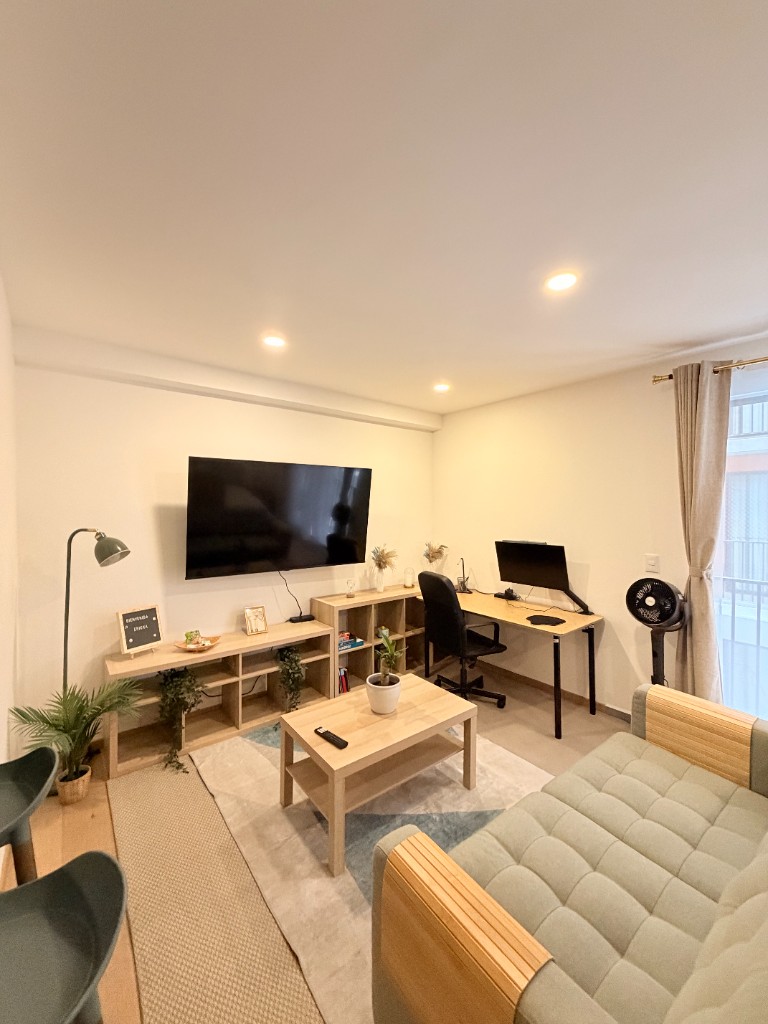
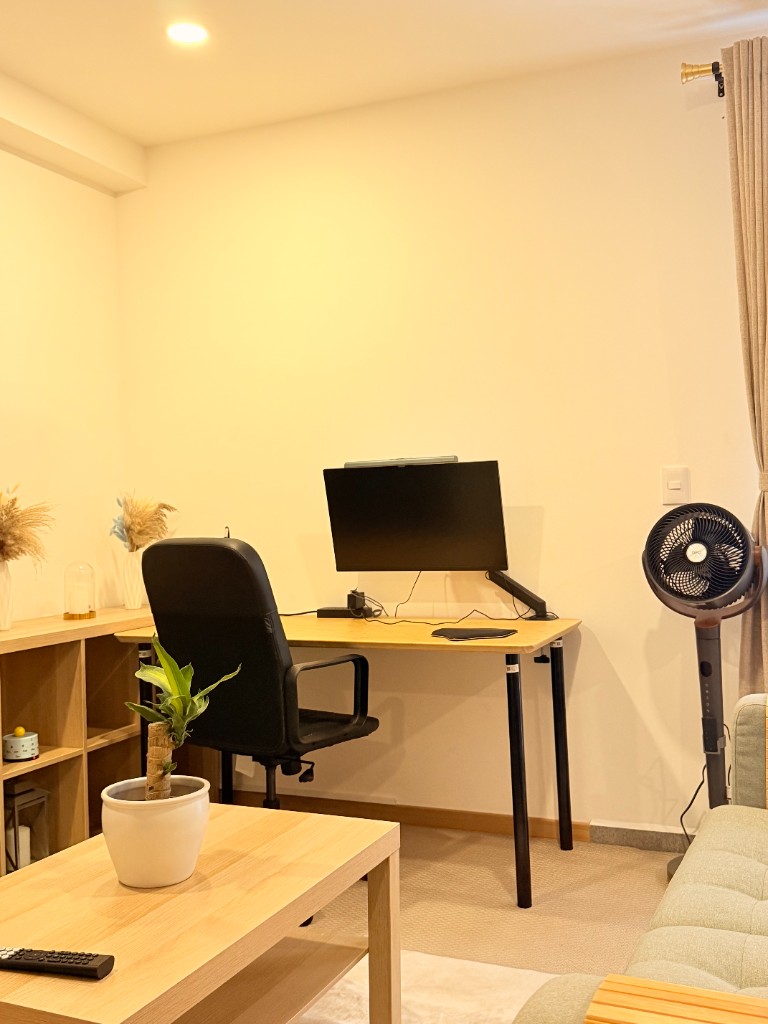
The Roma Norte loft has a dedicated desk separate from the dining area, an ergonomic chair, and a 27-inch QHD external monitor on a fixed mount, set up for a full workweek.
Building amenities that actually matter for focus
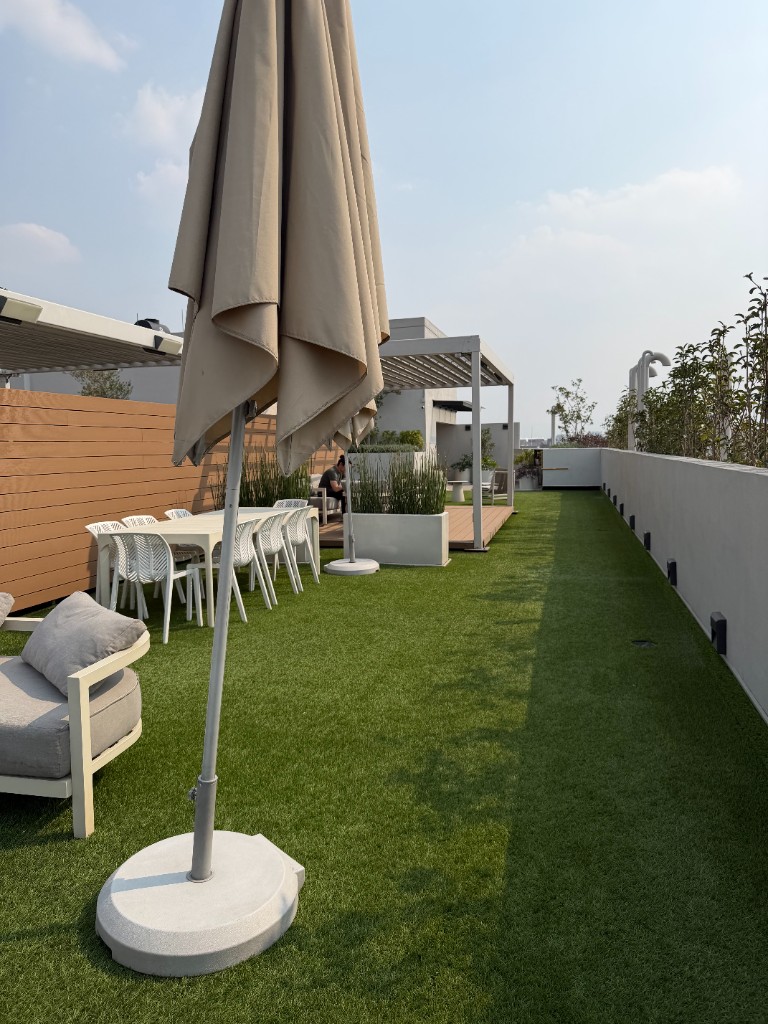
Beyond the apartment itself, building amenities can extend how long a workday stays sustainable.
A rooftop or common area gives you a change of scenery for a 30-minute break without leaving the building, which helps during deep focus stretches. Getting up and moving briefly is easier when there is somewhere to go.
Exercise during the workday, even 20 minutes of it, consistently affects afternoon focus. A building gym removes the friction of scheduling a separate gym membership or commute.
With secure entry, a package or delivery does not require you to be present, so calls get interrupted less. Self check-in buildings also mean no coordination for late arrivals or early check-outs.
In some buildings, shared Wi-Fi on the rooftop or in common areas extends your working space beyond the apartment without needing a hotspot.
What a digital nomad apartment in Mexico City costs per month
These are the 2026 planning bands for a solo remote worker in the central neighborhoods, in MXN:
| Setup for ~30 nights | Monthly total (MXN) | Workspace reality |
|---|---|---|
| Work-ready furnished apartment, Roma Norte | $23,000–$33,000 | Desk, ergonomic chair, monitor, 200 Mbps fiber included |
| Work-ready furnished apartment, Narvarte | $18,000–$28,000 | Same fiber infrastructure, quieter blocks, lower rent |
| “Nice photos” furnished apartment + coworking membership | $20,000–$30,000 + $2,500–$4,500 | Dining-table desk at home; commute to a hot desk for real work |
| Hotel with “business Wi-Fi” | $45,000+ | No desk worth the name, no published speed, no kitchen |
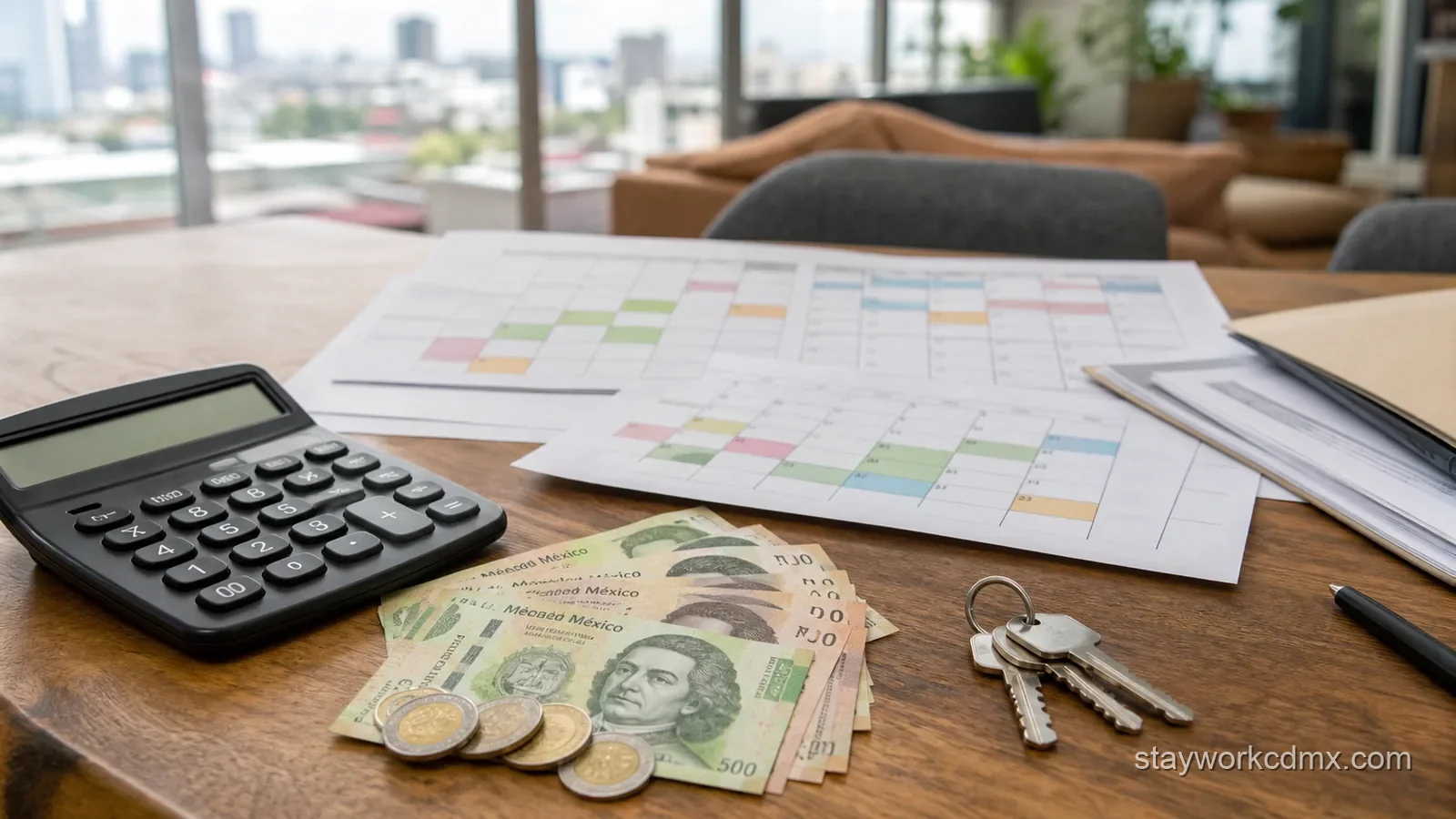
Compare row one with row three. A dedicated desk, chair, and monitor cost an operator a few thousand pesos once, but a guest renting an apartment without them usually ends up adding a coworking membership at $2,500–$4,500 MXN per month plus a daily commute. So the work-ready unit is usually the cheaper total.
Beyond rent, a realistic all-in month for one person:
| Line item | Monthly estimate (MXN) |
|---|---|
| Furnished work-ready apartment | $23,000–$33,000 |
| Groceries and household basics | $4,000–$6,000 |
| Cafes and eating out | $4,000–$7,000 |
| Transport (Metro, Uber/DiDi mix) | $1,000–$2,000 |
| Backup eSIM data pack | $300–$500 |
| All-in month | $32,000–$48,000 |
At 2026 exchange rates, that is roughly $1,700–$2,600 USD for a full working month in one of the best-connected cities in the Americas. For a line-by-line version of a comparable working month one district south, see the Del Valle monthly cost and routine breakdown .
The neighborhood as part of the setup
The apartment workspace works best when the surrounding neighborhood gives you real alternatives, and Roma Norte does this more consistently than most areas in CDMX:
- 8+ specialty coffee shops within a 10-minute walk, most laptop-friendly before noon
- Privat.MX coworking on Colima for days when you need an isolated private room or a physical address for packages
- Parque México and smaller plazas for outdoor breaks without crossing major traffic
For more detail on cafés and coworking in Roma Norte, see the best coffee shops for remote work in Roma Norte guide.
Roma Norte is the loudest base, though not the only viable one. Two alternatives are worth taking seriously:
- Narvarte, fifteen minutes south, runs on the same Telmex/izzi fiber with quieter residential blocks and rent roughly 20% lower. The Narvarte remote workers guide maps its cafés, parks, and workday rhythm, and Narvarte furnished monthly apartments shows what operated monthly inventory looks like there.
- Condesa trades café density for Parque México and calmer evenings at Roma-level prices. If you are weighing the two famous names against each other, the Roma Norte vs Condesa monthly-stay comparison breaks the decision down block by block.
If you have not shortlisted a neighborhood yet, start from the 2026 ranking of the best Mexico City neighborhoods for remote workers . It compares these areas plus Del Valle, Escandón, and San Rafael on the variables that decide a working month: noise, rent, transit, and where you go when you need a second workspace.
What this looks like in practice
A sustainable remote work day in a well-set-up apartment in Roma Norte:
- Morning: Desk from 8 to 12 (fiber Wi-Fi, external monitor, quiet building)
- Midday: Walk to a café for a change of scenery, or rooftop break
- Afternoon: Back to desk for calls or async work
- Evening: Parque México, dinner nearby, no commute home
This rhythm only holds if the apartment itself supports the desk portion. If the desk setup forces you to spend every morning at a café, you are paying apartment-level rent for a space you use only in the evenings.
Three questions that expose a fake “work-friendly” listing
You can filter out most disappointing digital nomad apartments before booking with three questions:
- “Can you send a screenshot of a speed test run this week, from the desk?” A real operator answers in hours with a number. A vague reply like “the Wi-Fi is very good, all our guests work remotely” is an answer too.
- “What are the desk dimensions, and what chair comes with it?” If the response describes the dining table, you have learned what you needed to know for the price of one message.
- “Where does the router sit relative to the workspace?” Concrete walls are the hidden problem with CDMX apartment Wi-Fi: a router two rooms away, behind two of them, can halve a fiber connection.
Ask all three before paying, and note how long the answers take to arrive. Response speed before booking is the best available preview of response speed when something breaks during your stay.
Properties with work-ready setups
The Chic Nomad Loft in Roma Norte is the StayWork unit set up specifically for remote workdays, with a dedicated desk, monitor, fiber internet, and a rooftop building. You can book direct with live pricing and availability. If you want the same work-ready standard on a quieter block, browse Roma Norte monthly stays for the full Roma Norte picture or the Narvarte units linked above.
For guests looking at digital nomad apartments in CDMX more broadly, see the digital nomad guide and the monthly apartments overview .